
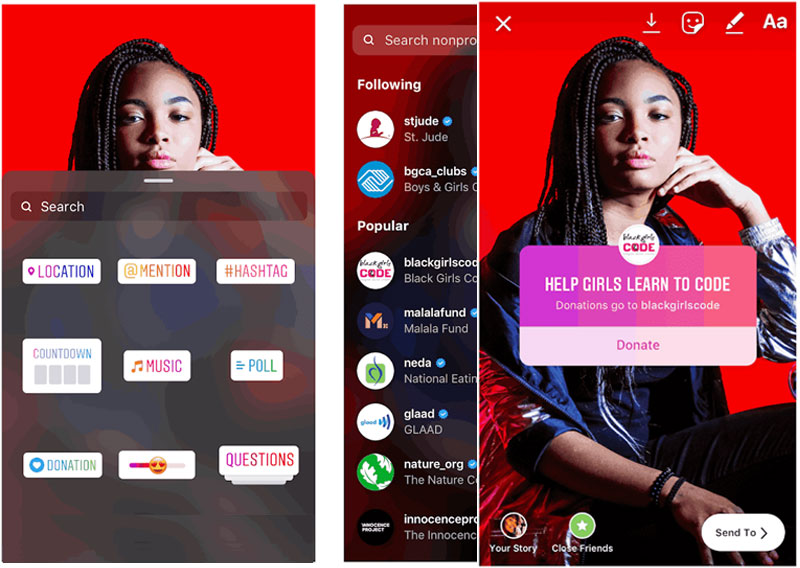
The Add Yours sticker is an interactive tool that you can use with Instagram Reels. You may have noticed or even tested the Add Yours sticker that Instagram rolled out for Stories in the year 2021.
The Add Yours sticker for Instagram is easy to use , it's more similar with facebook aside from one key difference. Rather than prompting users to create stories, the Reels version of the Add Yours sticker invites users to contribute reels on a certain theme.
the Add Yours sticker sounds like a great tool for boosting awareness of your business and engaging your audience, you?re right. When you use this sticker on your Reels, you can get more eyes on your brand, collaborate with your audience, and potentially start trends. We?ll cover some specific use cases below.
When users with public accounts tap the sticker, the Instagram or Facebook app automatically opens the Reels creation workflow and displays a disclaimer: Your reel will be added to a sticker page for this prompt.
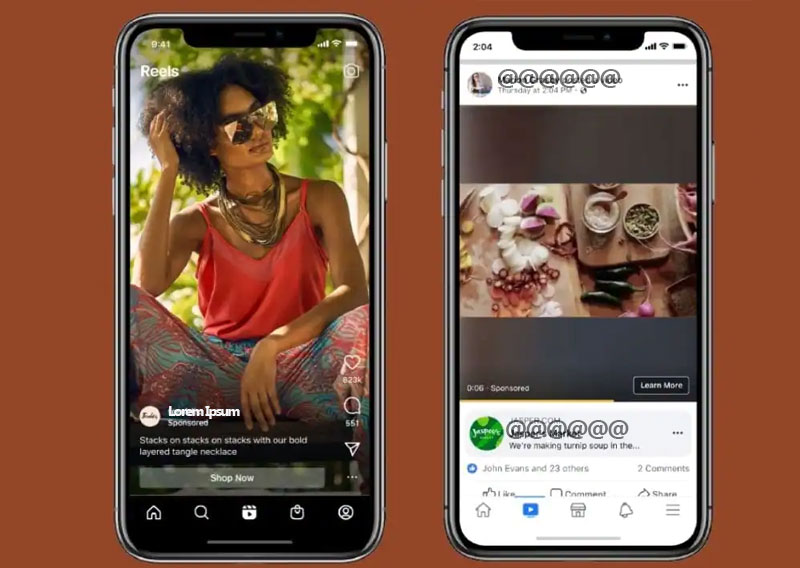
Want to drive more engagement with Instagram Reels? Wonder how the Instagram Add Yours sticker works through reels?
Let's see 4 ways to drive more traffic to your IG page through stickers.
When a user with a public account publishes a reel based on your Add Yours sticker, you?ll get an in-app notification. You can tap the notification to view and engage with the reel immediately.???????????????????????? ?
The sticker page also displays all of the public reels that users created from your prompt. You can tap to watch and engage with any of the reels directly from the sticker page. Note that the total count on the sticker page may include archived or private reels so some responses may not be visible.
1)?? ?HOW IT WORKS?
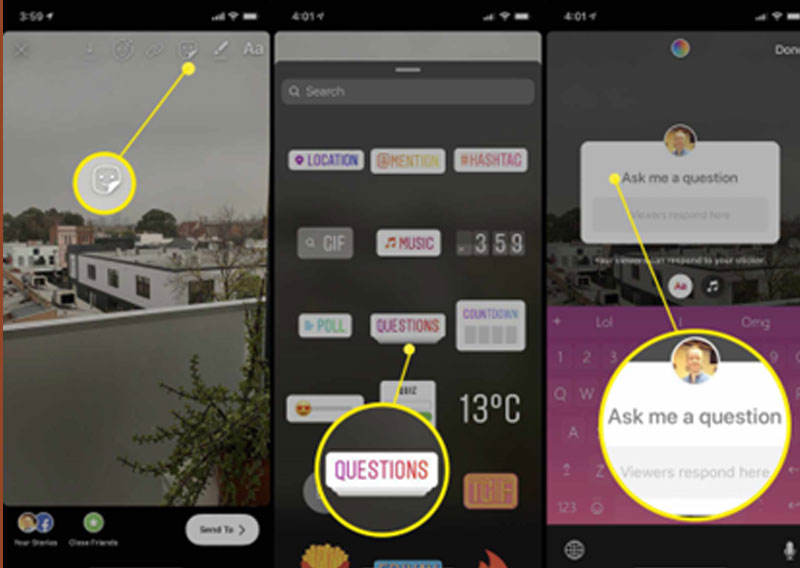
To use the Add Yours sticker on Instagram or Facebook, open the app and tap to create a new reel. As with any reel, you can continue to record additional clips or add pre-existing content until you reach the time limit. When you?re done adding content, tap the Next button in the lower-right corner.
On the editing screen, tap the sticker icon in the top menu to open the sticker tray. Look for the Add Yours sticker near the top, alongside Meta?s other interactive options. Tap to insert the Add Yours sticker in your reel.
Then write a prompt that invites your audience to contribute content. For example, you might provide instructions or ask a question.
2)?? ?ADD YOUR STICKER IDEAS FOR REELS IN YOUR MARKETING :
Now that you know how to add the sticker to your reels, you?re wondering how you can incorporate this content into your marketing campaigns. Let?s look at some use cases.
Start Conversations Using the Add Yours Sticker in Reels
Does your Facebook page or Instagram account seem more like a broadcast channel and less like a social space? The Add Yours sticker is ideal for starting conversations with your audience, which can help you build stronger relationships with followers.
To maximize participation, keep the topic light and the prompt easy to complete. After testing the tool and getting regular participation, you can always create more complex prompts that appeal to loyal customers.
3)?? ?BOOST BRAND AWARENESS USING THE ADD YOURS STICKER IN REELS :
Do you want to introduce your brand to more potential customers or get a new product on your audience?s radar? In your Add Yours prompt, encourage customers to create content that features your brand or product.
Your customers? reels will automatically appear on their profiles, which means their followers may see the content and discover your brand. Followers can tap through to visit your profile and learn more about your brand.
Consider encouraging brand ambassadors or other loyal customers to participate in these brand awareness initiatives. That way, you can increase visibility without having to run paid brand awareness campaigns.
The Add Yours sticker automatically credits your account for your Reels threads by adding a link back to your profile at the top of the sticker page. The more users you drive to the sticker page, the more chances you create for people to visit your profile and follow your account.
4)?? ?CREATE BUZZ ACROSS A COMMUNITY USING THE ADD YOURS STICKER IN REEL :
Not all Add Yours prompts have to focus on your brand. You can also use this Reels sticker to center conversations around adjacent businesses and communities.
For example, you can create buzz during an event by asking your audience to share their favorite speaker or booth. To help customers envision complete dining experiences, you can ask them where they like to go for dessert after grabbing a bite at your restaurant.
To improve your reach and get better results, consider other options instead. For example, you can share your reel to Stories to get it in front of more of your followers. You can also add a collaborator, which automatically publishes your reel to both accounts? feeds.
So these were the 4 ways which can help you to reach out to more audience out there and build your community.
CONCLUSION :
When you want to engage your brand?s audience, Meta?s Add Yours sticker is a great option. Use the tips and workflows above to incorporate this interactive sticker into your Facebook and Instagram reels and test new ways to reach your marketing goals.
What do you think? How have you brought social engagement on your page? What successes have you had? Share your thoughts in the comments section below.
Get More Advice on Social Media Marketing through us :
We are working in this niche of Digital marketing from a long time {12+} years of experience contact us to build a website of your own or any other related stuff :
?